
A great pair of earphones can sound amazing and still look strangely ordinary on a retail shelf.
That’s the problem.
Customers don’t hear the sound quality when they first walk past your product. They see the packaging, the colors, the logo—and, perhaps more importantly than many brands realize, the way the product is displayed.
Put premium earphones on a cluttered counter and some of that premium feeling disappears. Place the same product on a clean, well-proportioned earphone display stand, and suddenly it has breathing room. It looks considered. Important. Worth picking up.
So, how do you choose the right earphone display stand?
It isn’t simply a question of clear acrylic versus black acrylic, or one holder versus five. You need to think about the earphone itself, where the stand will be used, how shoppers interact with it, how your brand should look, and what happens when hundreds—or thousands—of stands have to be produced.
Let’s break it down without making display design more complicated than it needs to be.

Start With the Product, Not the Display Stand
It’s tempting to begin with appearance.
“Can we make it black?”
“Can we print our logo here?”
“Could we add LED lighting?”
Sure. Those questions matter. But they come later.
First, look at the product you actually need to display.
An earphone display stand designed for compact true wireless stereo (TWS) earbuds has very different requirements from a stand holding large over-ear headphones. Even two TWS products may need different structures if one is displayed inside its charging case while the other is presented as individual earbuds.
Before thinking about decoration, collect the basic product information:
- Product dimensions
- Product weight
- Charging case dimensions
- Cable requirements, if any
- Number of products displayed on each stand
- Whether customers can touch or try the product
- Packaging dimensions if the package is displayed too
- Security requirements
- Logo and promotional information
This sounds basic. It is basic—and that’s precisely why it gets overlooked.
A beautiful stand with the wrong dimensions is still the wrong stand.
Size Matters—But Bigger Isn’t Automatically Better
Retail space costs money.
A display that occupies half the counter but holds one tiny pair of earbuds is probably wasting valuable space. On the other hand, squeezing six products onto a tiny acrylic base can create visual noise.
The sweet spot lies somewhere between the two.
Think about visual breathing room.
Premium electronics often benefit from generous spacing because empty space can make individual products feel more significant. If you walk through a high-end electronics store, you’ll notice this principle again and again. Products aren’t always packed together like tins in a supermarket.
But there’s a little contradiction here.
More space can create a premium appearance, while efficient use of space can help a retailer show more SKUs. Neither approach is automatically right.
The correct balance depends on the retail setting.
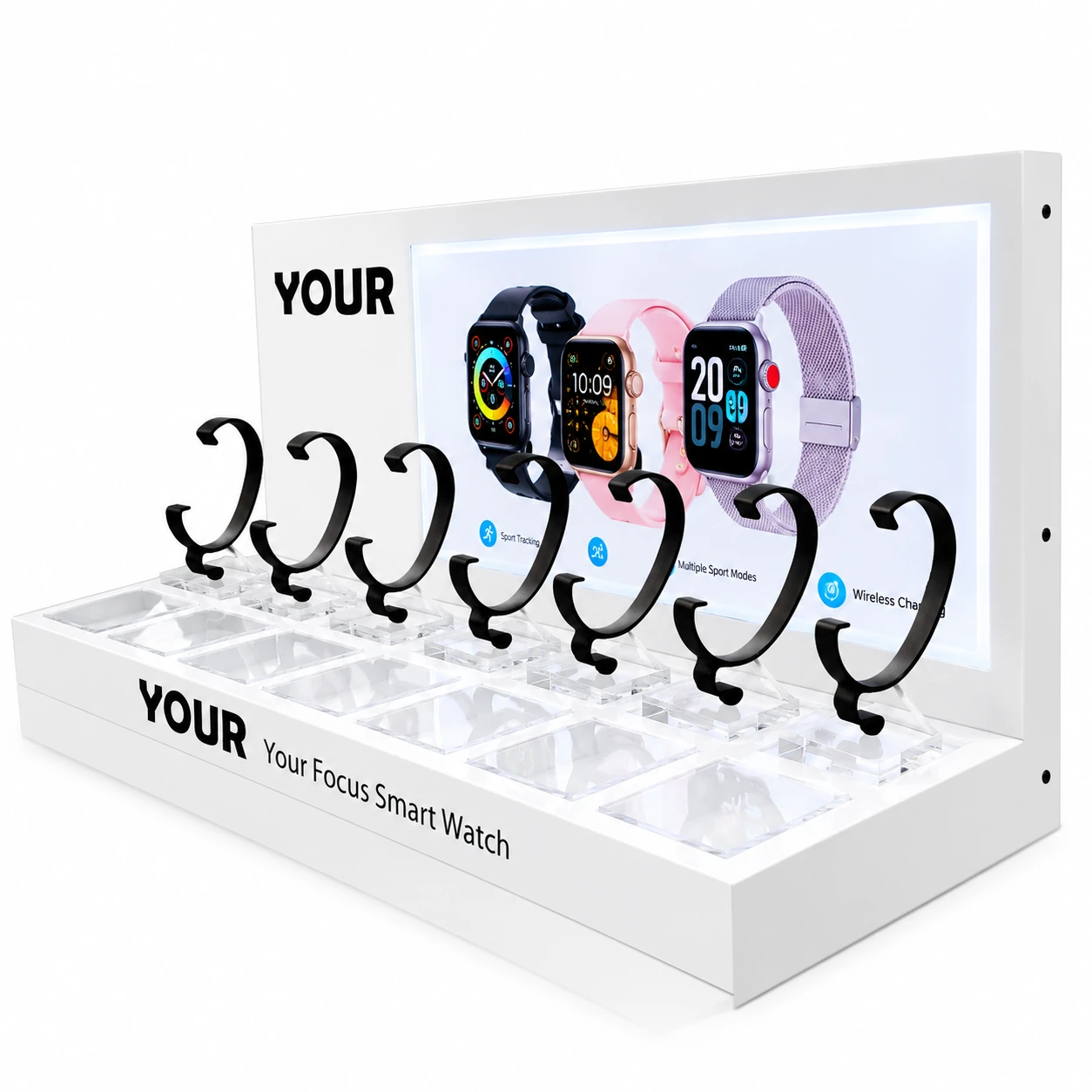
For a flagship product, a single-product display may make sense. For a retailer presenting several colors or models, a multi-position earphone display stand can use counter space more efficiently.
So before confirming dimensions, ask a simple question:
What job does this display need to do?
That question tends to clear the fog rather quickly.
Acrylic, Metal, Wood—or Something Else?
Material changes more than appearance. It affects weight, production, branding possibilities, cleaning, cost, and the way customers perceive the product.
For earphone displays, acrylic is particularly useful because it offers a clean surface and can be fabricated into many shapes.
A clear acrylic earphone display stand allows the product itself to remain the visual focus. Clear material works especially well when a brand wants a light, minimal retail presentation.
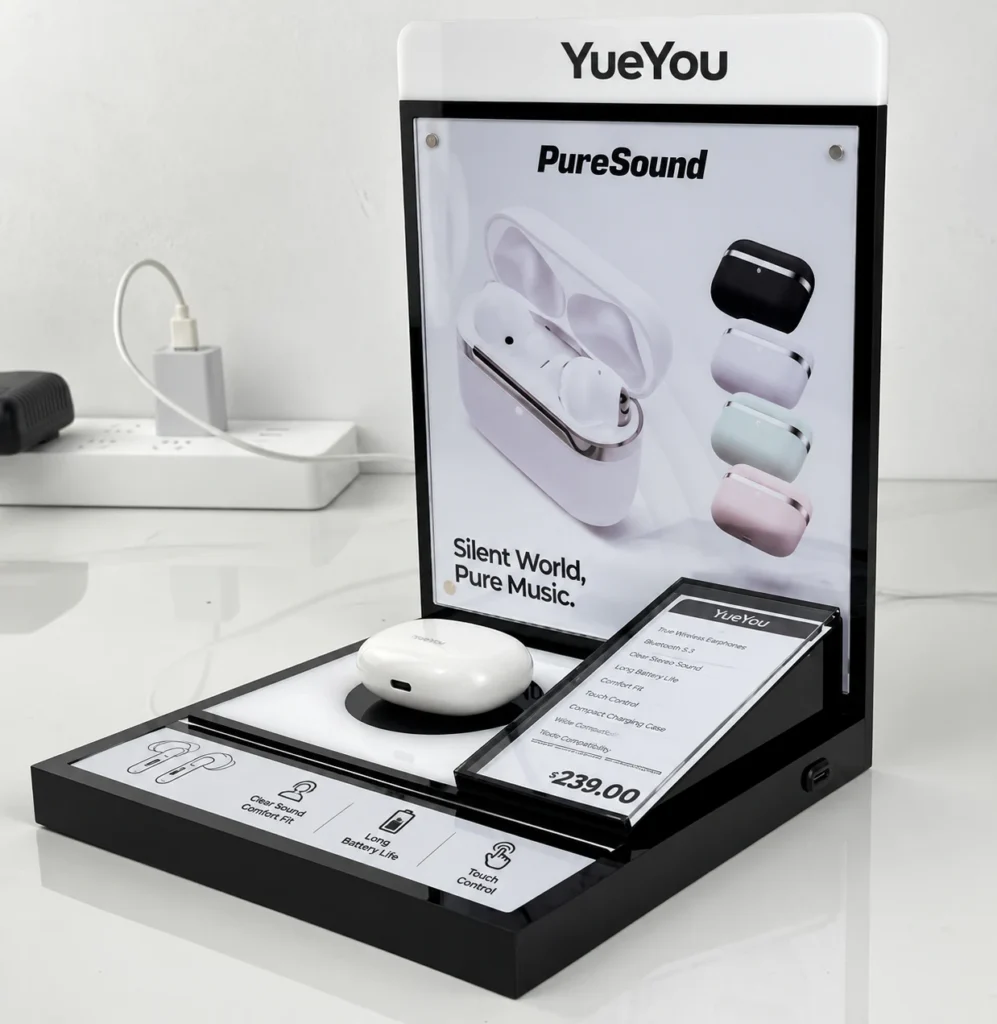
Black or colored acrylic creates a stronger visual frame. It can work nicely with dark electronics, bold logos, or a retail campaign built around a specific color palette.
Acrylic also supports processes such as printing, engraving, bending, bonding, and CNC or laser cutting, depending on the design and manufacturing method.
Metal brings a different character. It can feel solid and industrial, although its weight and fabrication requirements may make it less suitable for some projects.
Wood can create warmth, which is useful for certain lifestyle brands, but it produces a very different visual message from clear acrylic.
And sometimes mixing materials works better than insisting on only one.
An acrylic body with metal hardware, for example, can combine visual clarity with structural support.
The material should serve the product—not fight for attention with it.
Clear Acrylic or Colored Acrylic? Here’s the Real Question
Buyers often ask which one is better.
There isn’t a universal winner.
Clear acrylic has one obvious strength: it visually steps aside. Your earphones, logo, packaging, or printed graphics can do the talking.
Colored acrylic does almost the opposite. It becomes part of the brand presentation.
Imagine white wireless earbuds against a clean black acrylic background. The contrast can make the product easier to notice. Now imagine the same earbuds on clear acrylic in a bright, minimal store. Different mood. Different visual language.
Neither is inherently more premium.
The better question is:
What should customers notice first—the display or the product?
For many retail projects, the answer is the product. In that case, a restrained display design usually makes sense.
You know the old saying about good stage lighting? You notice the performer, not the lamp. A well-designed display often works the same way.
Think About How Customers Will Actually Use It
A render can look perfect on a computer screen.
Retail is messier.
People touch things. They put products back in the wrong position. Cables get moved. Fingerprints appear. Staff clean the display. Someone bumps the counter. A curious customer picks up the demo unit and rotates it in a direction the designer never expected.
That real-world behavior should influence the design.
If customers need to test the earphones, consider how the product is attached to the stand and how freely it can move.
If a charging cable is required, cable management needs to be part of the structure rather than an afterthought.
If the display will sit in a high-traffic electronics shop, stability becomes especially important. A narrow base may look elegant in a rendering but feel annoyingly unstable in daily use.
Ask questions such as:
- Can customers easily pick up the demo product?
- Is the cable long enough for comfortable testing?
- Can the product be returned to its original position easily?
- Will cables look messy after repeated use?
- Is the stand easy for retail staff to clean?
- Could small parts become loose?
- Does the base remain stable when the product is lifted?
These aren’t glamorous questions.
They are, however, the questions that separate a pretty prototype from a practical retail display.
Single-Product or Multi-Product Display?
Here’s another choice that seems simple until you start planning a real retail rollout.
A single earphone display stand gives one model maximum attention. It works well for flagship products, new releases, promotional counters, or products that need a little visual theater.
A multi-product display has another advantage: comparison.
Customers can see several models, colors, or price levels together. For retailers with limited counter space, this arrangement can also be more efficient.
Suppose a brand sells the same TWS earphones in white, black, blue, and pink. A four-position acrylic display can turn color choice into part of the shopping experience.
For a range with very different models, however, crowding everything onto one base may weaken the presentation.
There’s no magic number.
Consider the product hierarchy first. Decide which product should get the most attention, then design the display around that hierarchy.
Don’t Let the Logo Shout Louder Than the Product
Branding matters. Of course it does.
But more logo does not necessarily mean more brand impact.
A large logo, three slogans, four product benefits, a QR code, a model number, and a social media handle can quickly turn a clean acrylic earphone display into a tiny billboard.
That’s rarely flattering.
A better approach is to establish a visual order.
The product comes first. Then the brand. Then supporting information.
Logo printing can be applied to acrylic in several ways depending on the design, quantity, finish, and manufacturing process. Printed graphics can also communicate product features or campaign messages.
For some projects, a small logo on the front panel is enough.
For others, a raised header or printed back panel makes more sense.
Want customers to scan a QR code for specifications, a product video, or another digital experience? Leave enough blank space around it. Don’t bury it between six other messages.
Restraint can be surprisingly persuasive.
Pay Attention to Acrylic Thickness
“How thick should my acrylic display be?”
It’s a common question—and there’s no responsible one-number answer.
Thickness depends on the dimensions of the stand, product weight, span between supports, structural design, fabrication method, and expected use.
A thicker acrylic sheet may provide greater rigidity, but simply making everything thicker is not clever engineering. It adds material, weight, and cost, and it may create a heavy-looking display.
Meanwhile, thin acrylic can work perfectly well for certain smaller components when the structure supports it properly.
This is why drawings and prototypes matter.
Rather than specifying thickness based only on appearance, the manufacturer should evaluate the complete structure and intended use.
For buyers, the useful habit is simple: provide accurate product information and explain the retail environment clearly.
Good input leads to better engineering.
Countertop Placement Changes the Design
Most earphone displays live on counters, shelves, tables, or within larger retail fixtures.
Where yours will sit matters.
A countertop earphone display viewed from several directions may need clean edges and branding that works from multiple angles.
A display placed against a wall can use a taller back panel because customers mainly see it from the front.
A display inside a glass cabinet has different interaction requirements from an open demonstration unit.
Even viewing height changes things.
Graphics that look great when viewed straight ahead may become hard to read when the display sits below eye level.
So, if possible, tell your display manufacturer where the unit will be installed.
A photo of the intended retail environment can sometimes explain more than a paragraph of technical notes.
Custom or Ready-Made? Don’t Assume Custom Means “Fancy”
Ready-made stands have their place.
If you need a simple holder for internal use, a generic stand may do the job. It can also make sense when quantities are very small and branding isn’t important.
Custom displays become more relevant when the stand needs to fit a particular product, brand system, retail fixture, or campaign.
And “custom” doesn’t have to mean extravagant.
Sometimes customization is simply:
- Changing dimensions
- Adding a logo
- Matching a brand color
- Creating a dedicated product slot
- Adding cable management
- Adding a printed information panel
- Designing a removable part
- Combining several products on one base
The smartest custom designs are often fairly simple.
They just fit.
Prototype Before You Commit to Mass Production
This step deserves more attention than it usually gets.
A drawing tells you dimensions. A 3D rendering helps you understand appearance. A physical sample tells you how the display actually feels.
Those aren’t the same thing.
With a prototype, you can place the real earphones on the stand. Check the angle. Touch it. Lift the demo product. Look at the logo from a customer’s viewpoint. See whether the cable behaves itself.
And yes, cables have a talent for behaving beautifully in renderings and rather less beautifully in real life.
For custom projects, sample evaluation can help identify issues before mass production.
Check:
- Overall dimensions
- Product fit
- Stability
- Edge and surface finish
- Printed graphics
- Logo position
- Color
- Assembly
- Cable routing
- Packaging
If several people need to approve the project, agree on these points before reviewing the sample. Otherwise, one person may focus on color while another suddenly decides the entire base should be 20 mm narrower.
You can probably guess how that story ends.
Packaging Is Part of the Display Project Too
Acrylic looks clean and polished, but finished surfaces need protection during shipping.
That’s why packaging shouldn’t be treated as something to figure out five minutes before the cartons leave the factory.
The structure of the display affects how it can be packed.
A fully assembled unit may be convenient at the store but occupy more shipping volume. A knock-down structure may reduce volume but require assembly after arrival.
Neither approach is always better.
Consider your quantity, destination, installation process, retail staff, and acceptable assembly time.
If displays are being shipped to many stores, clear assembly instructions may also be necessary.
A stand that arrives beautifully but takes twenty frustrating minutes to assemble isn’t exactly making friends with the retail team.
Choosing a Manufacturer: Look Beyond the Quote
Price matters. Nobody needs to pretend otherwise.
But comparing custom earphone display suppliers only by unit price can hide meaningful differences.
When reviewing a manufacturer, consider whether they can understand drawings, work from product samples or reference images, advise on fabrication, produce prototypes, handle branding processes, inspect finished units, and package the display appropriately.
Communication matters too.
Custom display manufacturing involves details—lots of small ones. Dimensions change. Artwork gets updated. A logo moves 5 mm. Packaging requirements appear halfway through the discussion.
You want those details recorded clearly.
Before requesting a quotation, prepare as much information as you can:
- Product photos
- Product dimensions and weight
- Desired display dimensions
- Quantity
- Preferred material or appearance
- Logo artwork
- Number of products per stand
- Retail application
- Reference images
- Packaging requirements
- Target delivery schedule
Don’t have a technical drawing yet?
That’s not necessarily a deal-breaker. A clear sketch, reference photo, product dimensions, and explanation of what you’re trying to achieve can provide a useful starting point for discussing a custom design.
So, What Does the “Right” Earphone Display Stand Look Like?
Probably simpler than you expected.
The right stand doesn’t need the most features. It needs the right features.
It should fit your earphones properly, suit the retail environment, support the way customers interact with the product, present your brand clearly, and remain practical to manufacture in the quantity you need.
Looks matter. Function matters more than people sometimes admit. And when the two work together, the display almost disappears into the shopping experience.
That’s a good thing.
Before requesting a custom earphone display stand quote, gather your product dimensions, quantity, logo artwork, retail requirements, and a few reference images. Those details give a manufacturer something concrete to work with—and usually make the early design conversation much more productive.
After all, the goal isn’t simply to put earphones on a piece of acrylic.
It’s to give the product a proper place to be noticed.
Planning a Custom Earphone Display Stand?
Send us your product dimensions, required quantity, logo artwork, and reference images. YueYou can help you develop a custom earphone display stand for your retail project, from prototype evaluation to mass production.
Contact YueYou for a Custom Display Quote →
FAQ
1. What material is suitable for a custom earphone display stand?
Acrylic is commonly suited to retail earphone displays because it offers a clean appearance and supports cutting, bending, printing, engraving, and other fabrication methods. Clear, black, and colored acrylic can create very different visual effects. Metal or mixed-material structures may also be suitable when a design needs additional support or a different aesthetic.
2. How do I choose the right size for an acrylic earphone display stand?
Start with the exact dimensions of the earphones, charging case, packaging, and any cables or security devices. Then consider how many products need to be displayed and how much retail counter space is available. Leave enough space between products to keep the presentation easy to understand rather than crowded.
3. Can a custom earphone display stand include my brand logo?
Yes. Custom acrylic earphone display stands can be designed with branding elements such as printed logos, graphics, product information, or dedicated header panels. The suitable branding method depends on the acrylic material, artwork, quantity, desired finish, and display design.
4. Should I request a sample before ordering earphone display stands in bulk?
For a custom earphone display stand, a prototype can be valuable before mass production. It allows you to check product fit, stability, dimensions, graphics, finish, cable management, and the overall appearance using the real earphones. Sample approval can also reduce misunderstandings before a larger production run.
5. What information should I provide when requesting a custom earphone display stand quote?
Provide your required quantity, product dimensions, product weight, photos or drawings, number of products per display, preferred material, logo artwork, intended retail setting, packaging requirements, and desired delivery schedule. Reference images can also help communicate the style and structure you have in mind.