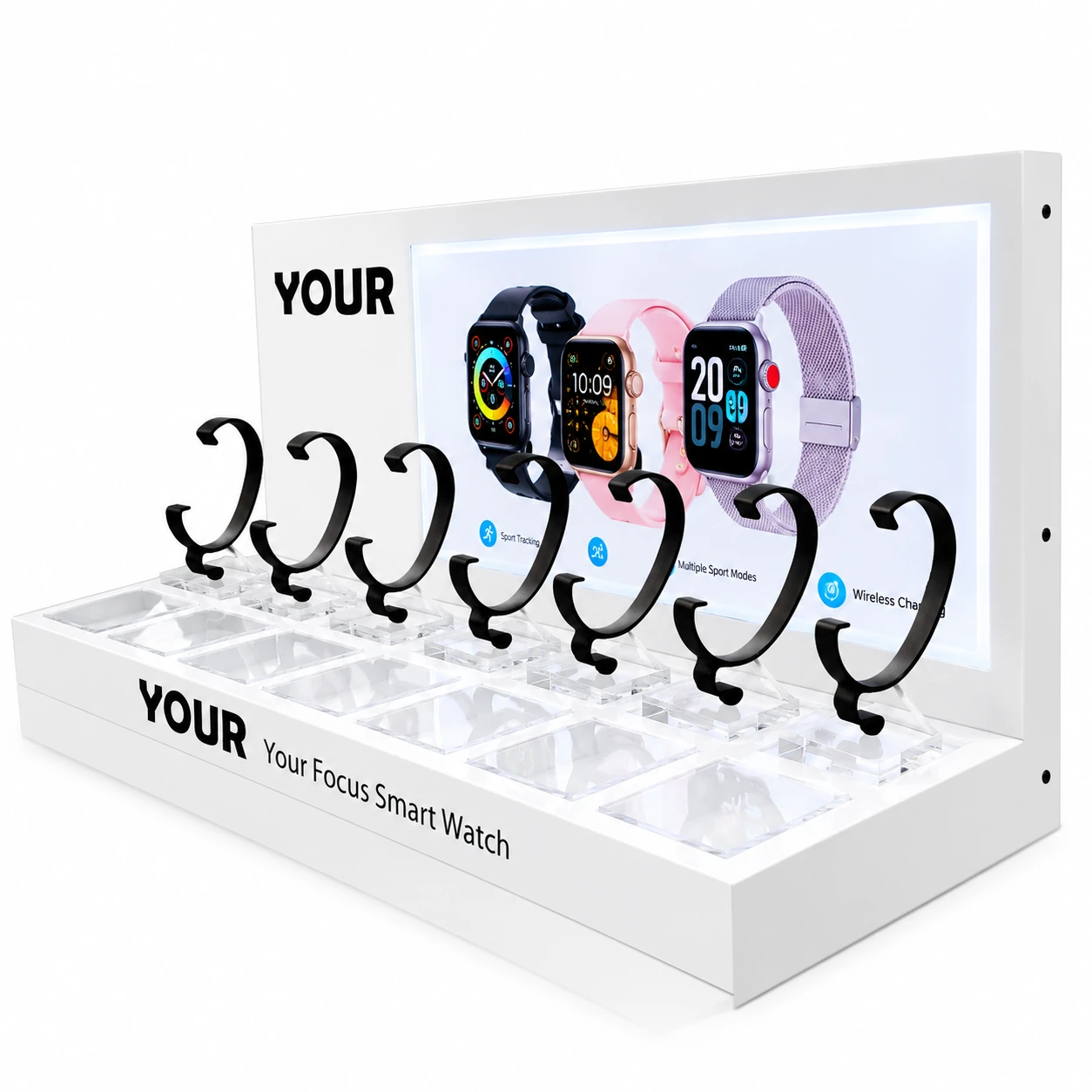
A smart watch display stand is not only a holder. It has to keep the watch powered, keep the product
secure, keep the counter clean, and still look premium enough for a retail environment. For buyers,
merchandisers, and procurement teams, charging and anti-theft protection are part of the display
structure itself, not add-ons to consider later.
Why a smart watch needs a special display structure
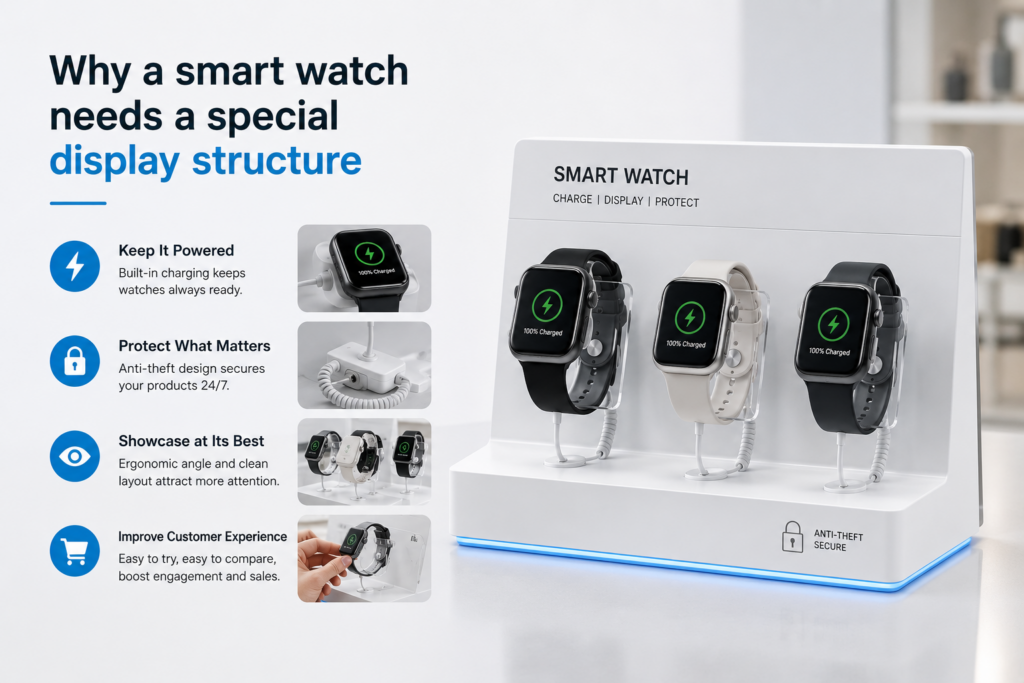
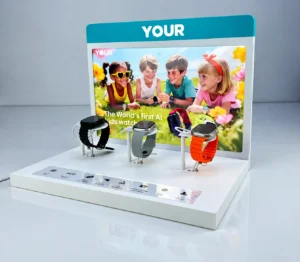
A generic stand can hold the product, but a smart watch display has a different job. It needs to keep the watch powered, protect the product from loss, manage the cable path cleanly, and still look right on a retail counter. When those things are handled together, the fixture becomes part of the selling system instead of a simple accessory holder.
That is why a smart watch retail display is usually planned from the product outward. The case size, strap style, charger type, and viewing angle decide the holder geometry first. The store setting then decides how much security, how much visibility, and how much branding the stand should carry.
In a real retail environment, the display has to look calm while doing several jobs at once. It should not distract from the watch, but it also should not behave like a bare technical fixture. The better approach is to let the holder, the cable path, and the security detail disappear into a clean visual structure.
What a generic stand usually fails to solve
| Comparison Item | Generic Stand | Custom Smart Watch Display Stand | Practical Impact |
|---|---|---|---|
| Charging | No stable charging path | Integrated charging support | Keeps the watch active for demo use |
| Security | Product is only placed on the stand | Anti-theft fixation or tether can be added | Reduces loss risk on the retail floor |
| Cable Management | Wires remain visible | Cables can be hidden inside the structure | Makes the counter cleaner and more premium |
| Branding | No dedicated brand space | Logo panel or brand strip can be added | Improves visual identity at the point of sale |
| Retail Rollout | Hard to reproduce across stores | Easy to replicate with consistent specs | Better for chain stores and batch production |
When the display has to work in a real store, these differences matter more than the shape alone. A visually neat stand that cannot keep the product charged or secure usually creates more friction for the store team than it solves.
This is also why the quotation conversation should not start from the look of the stand alone. It should start from how the watch will be used, who will handle it, and whether the fixture needs to survive one store or one hundred.
Yueyou Customized Smart Watch Solution
The first thing we look at is the watch itself. Case size, band width, shape of the back, and the way the charger connects all affect the holder design. If the fit is too loose, the watch moves when customers touch it. If the fit is too tight, staff struggle during daily operation. The right answer is usually somewhere in the middle: stable enough for retail, but still easy to service.
After that, we plan the charging route. A retail display that uses hidden charging needs enough internal room to keep the cable path calm and predictable. We do not want a solution where the cable is forced into a sharp bend or exposed at the back of the counter. In a good build, the charging direction is decided early, so the final stand looks intentional rather than patched together.
Anti-theft protection has to be treated with the same seriousness. If security is added too late, the fixture starts to look heavy, and the brand experience suffers. If it is built into the structure from the beginning, the display can stay slim and premium while still giving the store team the control they need. That is usually the balance buyers want: protection without visual noise.
What a generic stand usually gets wrong
We see the same problems repeated in many retail projects. A generic stand may hold the watch upright, but it often ignores the daily work of the store team. The charger sits in a position that is awkward to service. The display base shifts slightly after repeated use. The anti-theft part looks like an attachment instead of part of the design. Cable clutter shows behind the unit, and what looked elegant in a sample photo starts to feel messy once it reaches the shop floor.
From a manufacturing point of view, these are not small issues. They affect whether the store wants to reorder the fixture, whether the staff can maintain it quickly, and whether the product itself feels worth the retail space it occupies. A good acrylic display should solve those problems quietly, without asking the buyer to compromise on presentation.
What we build into a better display
When we take on a smart watch display project, we usually think about the fixture in layers. The base needs enough weight and footprint to stay steady. The holder needs to follow the product shape cleanly. The charging path needs to disappear into the structure as much as possible. The anti-theft method needs to be effective without taking over the appearance. And the surface finish needs to match the brand tone, whether that means clear acrylic, black acrylic, white acrylic, or a custom color.
This is where acrylic performs well. It can be cut cleanly, polished neatly, and adapted to different retail styles without making the display feel overly technical. For a premium watch launch, we might use clear material with minimal hardware so the product remains the visual focus. For a more controlled retail counter, we may choose a darker finish or stronger branding so the fixture feels more deliberate and more secure.
The important thing is that the display should not behave like a separate object sitting next to the watch. It should behave like part of the retail system around the watch.
What a custom smart watch display should include
The structure should start with the watch, not with the acrylic. That means the holder, cradle, and base
should follow the actual product size and strap style. If the watch has a different charger direction,
that point should be solved before the sample is made. Once the fit is correct, the display can be tuned
for the retail scene, the security requirement, and the branding treatment.
In a well-planned display, the power route disappears into the base or rear side, the product angle
makes the screen readable, and the security detail is integrated into the fixture instead of added as
visible hardware. That is also where the surface finish matters. Clear acrylic, black acrylic, frosted
acrylic, and color-matched details all tell the buyer something about the position of the product.
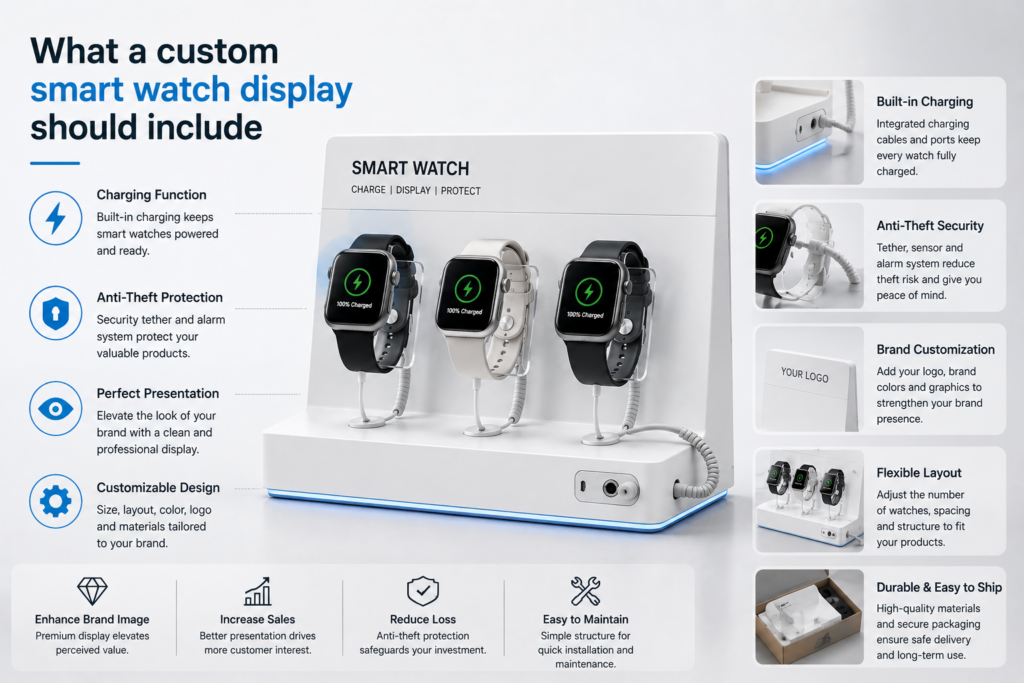
For brands that want a more premium appearance, the display can also include a small logo zone, a
cleaner edge finish, or a subtle lighting effect. The rule is simple: the display should support the
sale, not compete with the product.
How Yueyou handles sampling, QC, and batch production
A strong quotation brief usually includes the watch dimensions, strap style, charger type, quantity,
counter size, logo file, target market, and delivery deadline. From there, the structure can be
adjusted around the actual device rather than a generic idea of the device. Once the direction is
approved, the sample can confirm fit, visibility, charging access, and security method before bulk
production begins.
In batch production, the details that matter most are repeatability and packing discipline. The holder
angle, base footprint, edge finish, and locking or tether detail should stay consistent from sample to
shipment. For retail programs, QC is not only about appearance; it is also about making sure the display
still works when it arrives in a store network, a distributor program, or a branded launch counter.

Questions buyers usually ask first
Can the display support continuous charging?
Yes. The charging route can be planned around the watch model and the real retail demo setup.
Can anti-theft protection be added without making the stand bulky?
Yes. The security detail can be built into the structure so the display still looks clean and premium.
Can the display be customized for different watch sizes?
Yes. The cradle, holder angle, and base size can be adjusted around the actual product dimensions.
What do you need for a quotation?
Product size, quantity, store scene photos, logo file, charging requirement, security requirement, and target delivery date are usually enough to start.
Request a smart watch display proposal
Send your watch details and get a display structure recommendation.
A smart watch display works best when the holder, charger, security route, and finish are designed from
the same brief. If you have product photos, a logo file, and a store scene, the next step is to turn
those inputs into a practical structure that can be sampled, approved, and rolled out with less guesswork.