
Picture a customer walking into an electronics store. Rows of earphones sit on shelves, each one trying to catch their eye. Some products are packed in bright boxes. Others sit on plain holders with little to set them apart.
Then one display catches their attention.
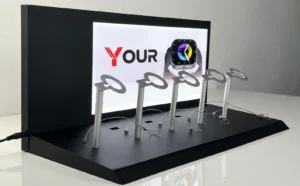
The earphones sit on a clean, well-made stand. The brand logo is easy to see. The colors match the product packaging, and the whole setup looks neat and professional.
That’s the power of a well-designed earphone display stand.
A custom earphone display stand does more than hold a product. It helps shoppers spot your brand, understand your product, and feel more confident about what they’re buying.
But how do you add your brand logo without making the display look crowded or cheap? Which material works best? And what should you know before placing a custom order?
Let’s walk through the process, from the first design idea to the finished display.
Why Does Your Brand Logo Matter on an Earphone Display Stand?
Think about the last time you visited a busy electronics store. How many brands did you see?
Probably more than you can recall.
That’s the challenge for earphone brands. Even a great product can get lost when it sits beside dozens of similar items.
A branded earphone display stand gives your product a clear place to shine.
It Helps Customers Recognize Your Brand
Your logo is one of the easiest ways for shoppers to identify your business.
When the same logo appears on your packaging, website, and retail display, customers can connect those touchpoints.
For example, a customer may have seen your earphones online but never held them in person. When they notice your logo on a store display, the product may feel more familiar.
That small moment matters.
Brand recognition doesn’t always lead to an instant sale, of course. Still, a clear and consistent logo can help customers remember your products.
It Makes Your Display Look More Professional
A plain stand can hold earphones just fine.
But a custom stand with a clean logo, suitable colors, and a thoughtful layout can give the product a more polished look.
Imagine two similar earphones on a counter. One sits on a basic plastic holder. The other rests on a custom acrylic display with a neat logo and a matching base.
Which one looks more like part of a planned retail presentation?
The difference isn’t always about spending more money. Often, it’s about paying attention to the small details.
It Supports Your Retail Marketing
A custom earphone display stand with a logo can serve as a small brand sign.
It can show your company name, product series, or a short message. You can also add a QR code that leads customers to product information, where store rules allow it.
This can be useful in consumer electronics stores, shopping mall kiosks, mobile phone accessory shops, brand showrooms, trade shows, and retail counters.
The key is to keep the message simple. Customers should notice the earphones first, then see who makes them.
Start with the Right Earphone Display Stand Design
Before you think about printing your logo, there’s one question worth asking:
What kind of earphones will the stand hold?
It sounds obvious, but the answer shapes almost every part of the design.
A stand made for wireless earbuds and their charging case may need a different structure from one designed for wired earphones or neckband-style models.
Not sure which display design works best for your products? Read our guide to choosing the right earphone display stand to explore the key factors before making a decision.
Countertop Earphone Display Stands
Countertop displays work well when you want customers to see a product up close.
They’re often used near checkout areas, demonstration counters, or small retail shelves.
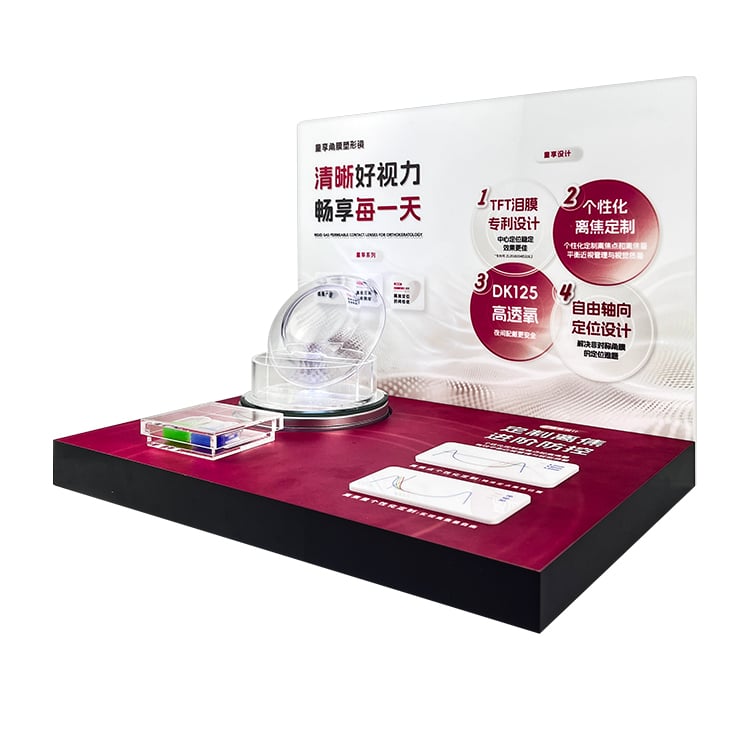
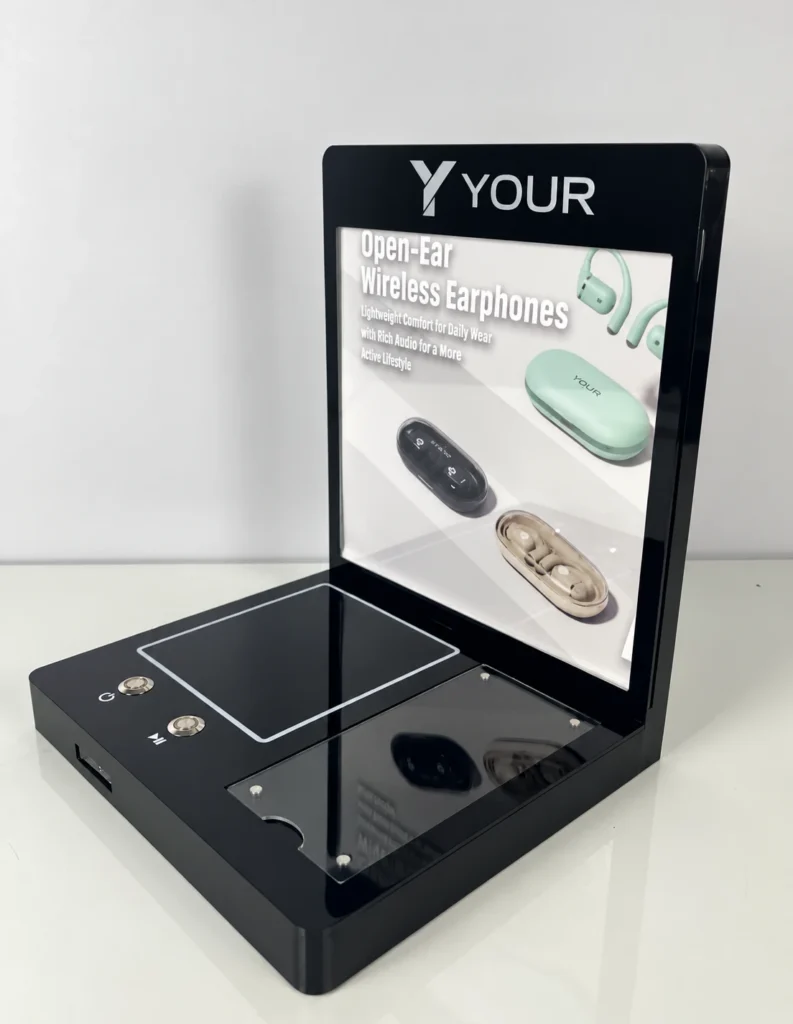
A custom countertop earphone display stand can include a flat base, a raised product holder, and a front panel for your logo.
For a compact wireless earbud case, a simple cradle may be enough. For a display that holds several products, you may need separate spaces for each model.
Keep the size in mind. Retail counter space is valuable, and a large stand isn’t always a better stand.
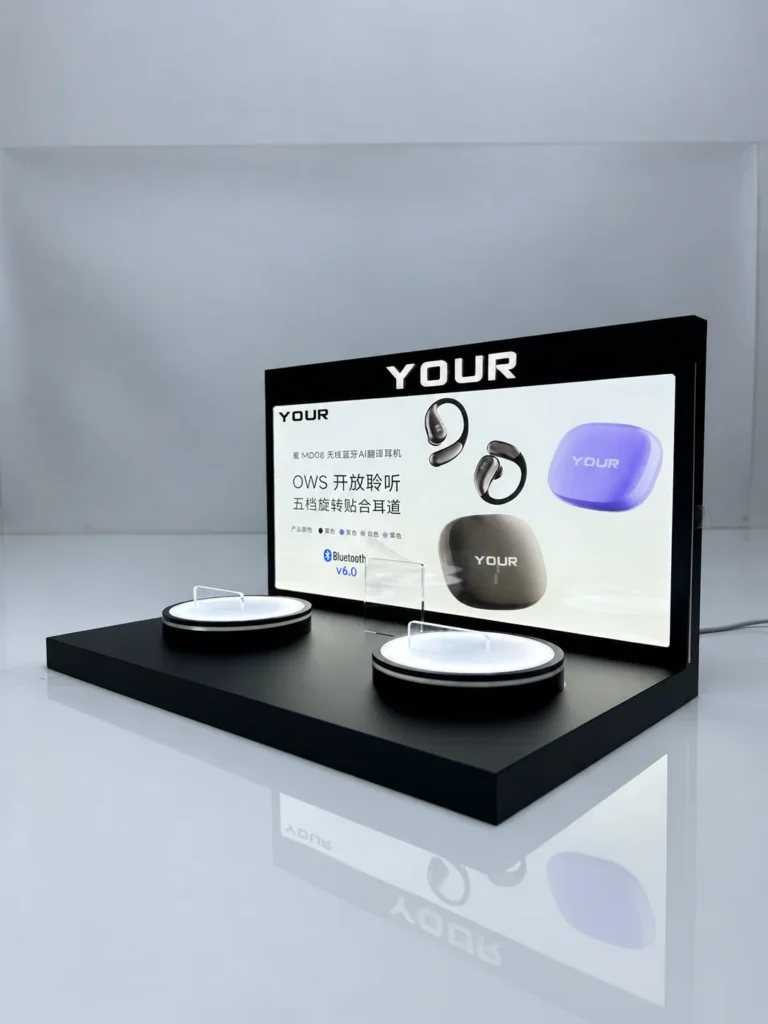
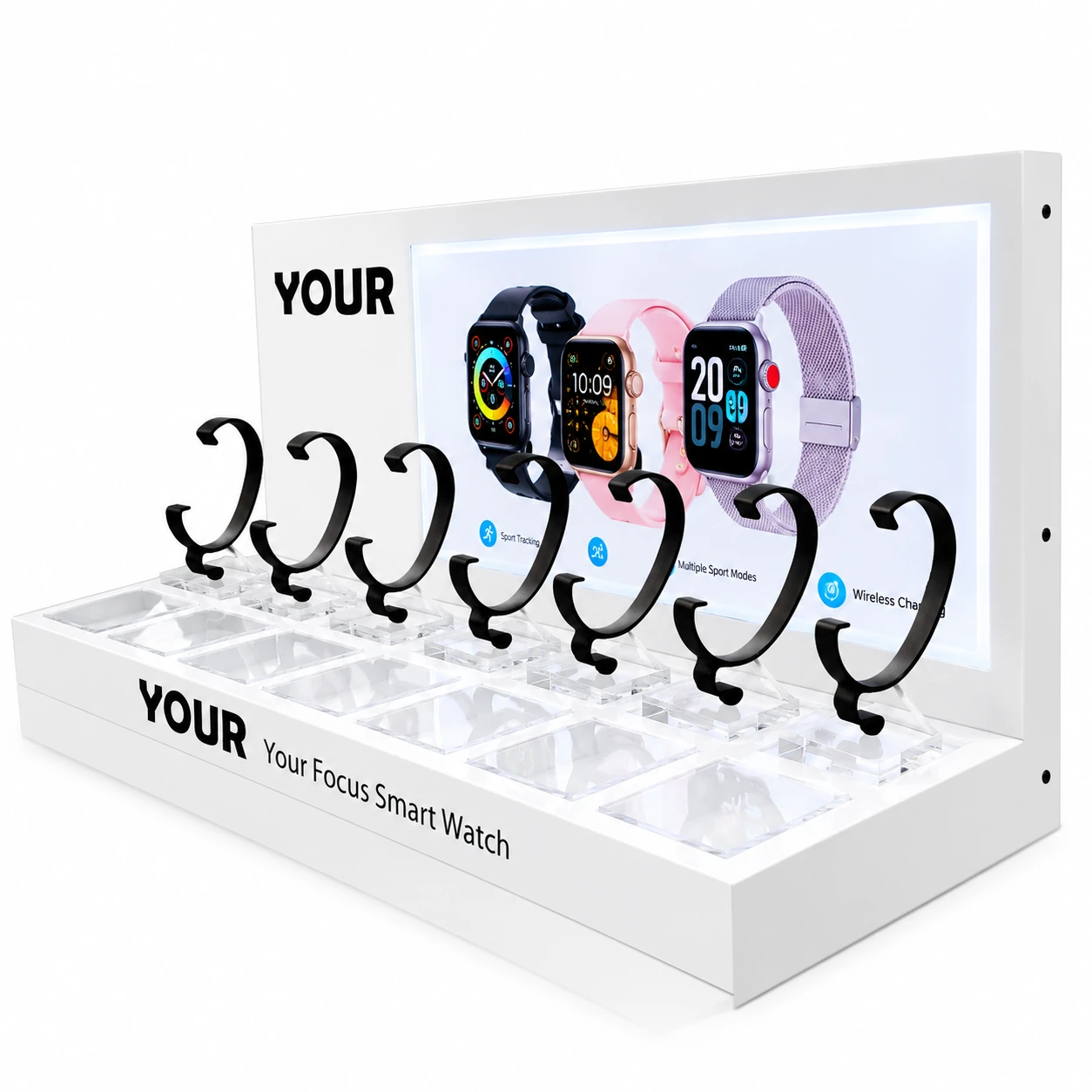
Multi-Product Earphone Display Stands
Do you sell several earphone models?
A multi-product stand can help you present them as one collection.
You might use different holders for each model, with your brand logo placed at the top or front of the display.
This makes it easier to show product differences while keeping the presentation consistent.
Just don’t pack too many products into a small area. When everything fights for attention, nothing stands out.
Interactive Earphone Display Stands
Some stores let customers test earphones before buying.
For these displays, appearance is only part of the job.
You’ll also need to consider cable access, charging, product security, and how customers handle the devices.
If the stand includes power connections or electronic parts, the design should allow safe cable routing and suitable maintenance access.
A logo can make the display look attractive, but the stand must still work well during daily use.
Choose a Material That Fits Your Brand
Material choice affects how your custom earphone display stand looks, feels, and performs.
It also affects how your logo can be applied.
Let’s look at a few common options.
Acrylic: Clean, Modern, and Easy to Customize
Acrylic is a popular material for retail product displays because it offers a smooth surface and many design possibilities.
It can be made in clear, white, black, or other colors, depending on material availability.
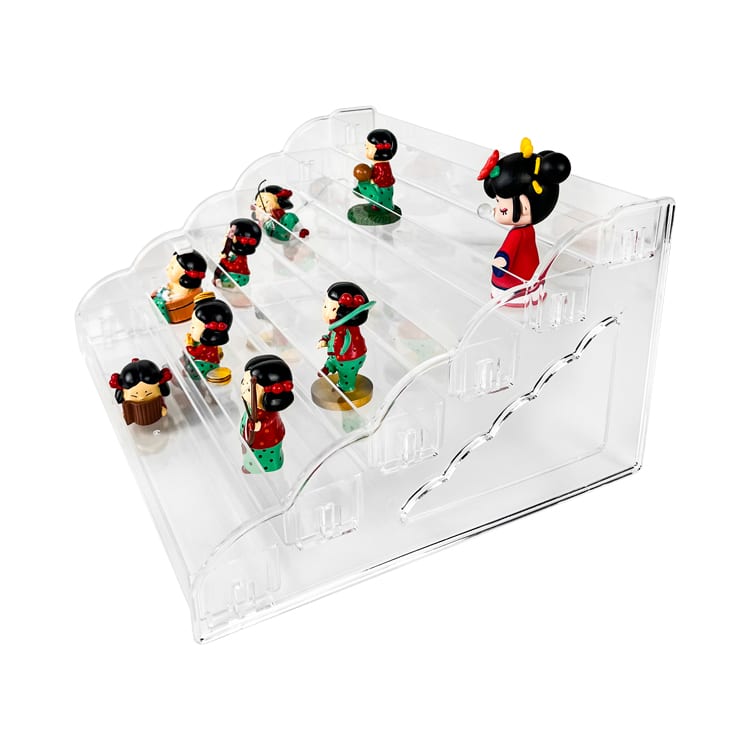
Clear acrylic is useful when you want the earphones to remain the main focus. Colored acrylic can help create a stronger brand look.
A custom acrylic earphone display stand can also be cut, shaped, joined, and printed to suit different product layouts.
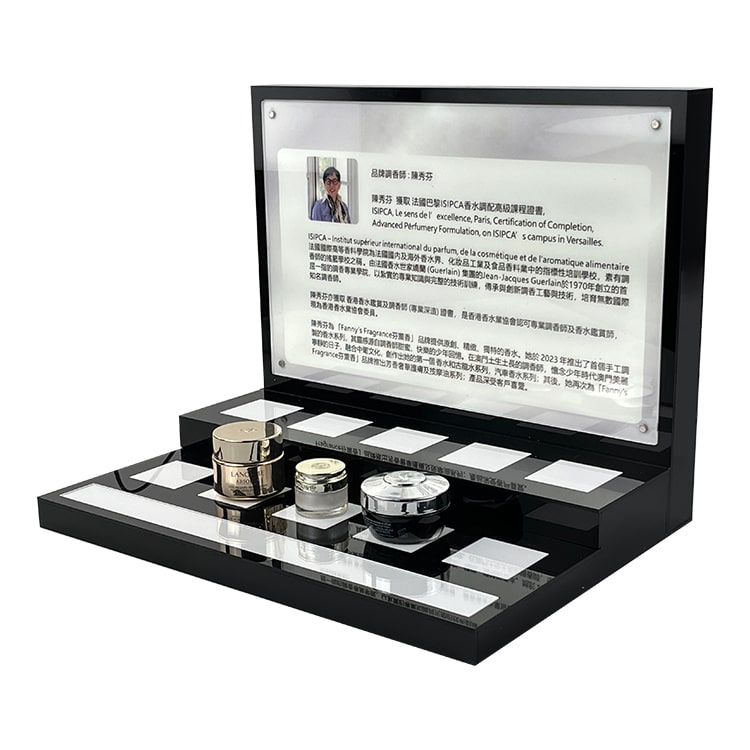
For example, a black acrylic base with a white logo may suit a brand that wants a simple, technical style. A clear acrylic holder with a colored back panel can create a lighter look.
Acrylic isn’t perfect for every job, though. It can scratch, and thin or poorly supported sections may crack under stress.
That’s why the stand’s shape, thickness, and expected use matter as much as its appearance.
Metal: Strong and Structured
Metal may be suitable for stands that need a sturdy frame or support for heavier products and accessories.
It can also create a clean, industrial appearance.
However, metal parts may need additional finishing, and sharp edges must be removed or protected.
If your design includes both metal and acrylic, you can use metal for structural support and acrylic for the logo panel or product holder.
Wood: Warm and Natural
Wood can create a softer look that works well for brands with a natural or lifestyle-focused identity.
It may be used for display bases, panels, or decorative details.
Still, wood grain and surface texture can affect how printed logos appear. Samples are useful when color accuracy is important.
Which Material Should You Choose?
For many branded retail displays, acrylic is a practical starting point.
It offers a clean appearance, several color options, and a suitable surface for different logo methods.
Metal can be useful when strength is a key concern, while wood may suit a warmer brand style.
You can also combine materials to create a more distinctive display.
The right choice depends on the earphones, store setting, design, and budget.
How to Add Your Logo to an Earphone Display Stand
Now for the fun part: putting your brand on the stand.
There are several ways to add a logo to a custom earphone display stand. Each method creates a different look, and not every method suits every material.
The most common choices for acrylic displays include screen printing, UV printing, laser engraving, and adhesive graphics.
Screen Printing: Simple and Effective
Screen printing uses a prepared screen to transfer ink onto a surface.
It’s often suitable for logos with solid colors and clear shapes.
If your logo uses one or two colors, screen printing may be a practical choice, especially for repeat orders.
The result can look sharp and consistent when the artwork, ink, and surface are well matched.
However, very fine details or complex color gradients may be harder to reproduce.
UV Printing: More Color, More Detail
UV printing is useful when your logo has several colors, small details, or a more complex design.
The printing process uses UV-curable ink that hardens under ultraviolet light.
This makes it possible to print detailed graphics directly onto suitable acrylic surfaces.
For example, if your brand logo includes a color gradient or a small graphic symbol, UV printing may offer more design freedom than traditional screen printing.
There’s one thing to remember: printed colors may look different on clear, white, and black acrylic.
Always review a sample if matching your brand colors is important.
Laser Engraving: A Subtle, Premium Look
Want something less colorful but more understated?
Laser engraving may be worth considering.
A laser creates a mark on the acrylic surface, often producing a frosted appearance.
This can work well for simple logos, text, and geometric patterns.
On clear acrylic, an engraved logo can create a clean, quiet effect. Add suitable edge lighting, and the engraved area may catch the light.
That said, engraving doesn’t reproduce full-color logos. It also needs enough space for the design to remain readable.
Adhesive Logos: Flexible for Promotions
Printed adhesive graphics can be useful for short-term campaigns or displays that need frequent updates.
For instance, a brand may use the same stand for several product launches but change the promotional message each time.
A removable graphic can make that easier.
The downside? Adhesive edges may become visible, and some labels can peel or leave residue over time.
For long-term retail use, direct printing or engraving may provide a cleaner appearance.
Which Logo Method Works Best?
There’s no single perfect method.
Screen printing works well for simple logos with solid colors. UV printing is suitable for detailed graphics and multicolor designs. Laser engraving creates a subtle finish, while adhesive graphics offer flexibility for temporary promotions.
A good manufacturer should review your artwork, the stand material, and your order needs before suggesting a suitable process.
Where Should You Place Your Logo?
Here’s a small design secret: logo placement can matter as much as logo size.
A huge logo isn’t always easier to notice. In fact, it may compete with the product.
Your earphones should remain the star of the display.
Front Base Placement
The front of the base is one of the most practical spots for a logo.
It’s often easy for customers to see when they stand in front of a retail counter.
This position also keeps the logo separate from the earphones, so the design feels less crowded.
For a small acrylic earphone display stand, a simple logo centered on the front panel may be all you need.
Back Panel Placement
A vertical back panel gives you more space for branding.
You can place your logo above the earphones and add a short product message below it.
This works well for displays viewed from a distance.
However, the back panel shouldn’t block the product or make it hard for customers to reach the earphones.
Side Panel Placement
Side panels can be useful when a display sits on an open counter or an island fixture.
They let customers recognize the brand from more than one direction.
This may be helpful at trade shows or in stores where people approach the display from different sides.
A Quick Test Before You Approve the Design
Print your logo at the size planned for the stand.
Then place it on a paper mockup and view it from a normal shopping distance.
Can you read it without leaning forward?
Does it look balanced with the product?
If the answer is no, adjust the size or position before production.
It’s a simple test, but it can save time and money.
Make Your Display Stand Match Your Brand Identity
A logo is only one part of your brand.
Colors, shapes, materials, and small design details all affect how customers see your products.
Think of the display stand as a frame around a picture. The frame should support the artwork, not steal the show.
Use Your Brand Colors with Care
If your brand uses black and white, a clear or black acrylic display may create a consistent look.
If your brand uses bright colors, you can add colored panels or printed accents.
But there’s no need to cover every surface with color.
A small touch of your brand’s main color may be enough to connect the stand with your packaging.
Also, consider contrast.
A dark logo on black acrylic may be hard to read. A white logo on a clear panel may disappear against a bright store background.
The right color combination should make your message easy to see.
Keep the Shape Consistent with Your Products
Does your earphone case have smooth, rounded edges?
A stand with similar curves may create a more unified appearance.
Does your product have a sharp, technical design?
Straight lines and clean angles may suit it better.
These details can seem small, but together they help the display feel intentional.
Should You Add LED Lighting?
LED lighting can make a branded display more noticeable, especially in a dim showroom or exhibition space.
It may also highlight an engraved logo or a clear acrylic panel.
But lighting isn’t always necessary.
For a small countertop display in a bright store, a simple printed logo may look better and cost less.
If you do add LEDs, think about power access, heat control, cable placement, and maintenance.
A display that looks great in a design drawing still needs to work in a real store.
What Should You Prepare Before Custom Production?
You’ve chosen a style, material, and logo method.
What’s next?
Before contacting an earphone display stand manufacturer, gather the key details of your project.
This helps the manufacturer understand what you need and reduces the chance of costly changes later.
1. Your Logo Artwork
Send a high-quality logo file.
Vector formats such as AI, EPS, or SVG are often useful because the artwork can be resized without losing sharpness.
A high-resolution PDF may also work, depending on how it was created.
If your logo has specific brand colors, include the color references.
For example, you can provide Pantone references when color matching is needed, while keeping in mind that printed results depend on the material and process.
2. Earphone Product Dimensions
Provide the exact size of the product that will sit on the stand.
For wireless earbuds, include the charging case dimensions if the case is part of the display.
For wired earphones, explain how the cables should be arranged.
Don’t forget about access. Customers or store staff may need to lift the product, replace it, or clean the stand.
3. Display Stand Size
Think about where the stand will be used.
Will it sit on a narrow retail shelf? A wide counter? A trade show table?
Measure the available space before confirming the design.
It’s also worth checking the height of nearby shelves or signs. A display that’s too tall may block other products.
4. Order Quantity
Tell the manufacturer how many stands you expect to order.
Quantity can affect production methods, unit cost, and the need for tooling.
For example, a small trial order may suit a simpler design, while a large retail rollout may justify more specialized production steps.
5. Packaging and Shipping Requirements
Acrylic displays need suitable protection during transport.
Depending on the design, packaging may include protective film, foam inserts, cartons, or separate packing for fragile parts.
If the stands will ship directly to retail stores, ask whether they can be packed as individual units.
That can make distribution and setup easier.
From Design to Delivery: How Custom Orders Work
Custom production doesn’t need to be complicated.
Still, a clear process helps both you and the manufacturer avoid surprises.
Here’s how a typical project may move forward.
Step 1: Share Your Requirements
Start with your product details, logo artwork, preferred material, quantity, and intended use.
Reference photos can be helpful.
You don’t need a perfect technical drawing at this stage. Even a simple sketch can explain the layout you have in mind.
Step 2: Review the Design
The manufacturer may prepare a drawing or 3D rendering based on your requirements.
Check the overall size, logo position, product holder, and assembly details.
If you plan to display several earphone models, confirm that each product fits.
This is also the right time to discuss color, printing, and packaging.
Step 3: Request a Sample
A physical sample can reveal things that are hard to judge on a screen.
You can check the logo finish, acrylic edges, stability, and product fit.
Does the stand sit flat?
Is the logo clear?
Can staff place and remove the earphones without trouble?
These questions are easier to answer when the sample is in your hands.
Step 4: Approve Production Details
Once you’re satisfied with the sample, confirm the final specifications.
These should include the approved dimensions, materials, colors, logo artwork, quantity, packaging, and any agreed quality requirements.
Make sure changes are recorded before production starts.
Step 5: Production and Quality Checks
During production, parts may be cut, shaped, polished, printed, and assembled, depending on the design.
Quality checks should focus on both appearance and function.
For acrylic stands, important points may include edge finish, visible scratches, print quality, assembly fit, and stability.
Step 6: Packaging and Delivery
After production and inspection, the stands are packed for shipment.
Shipping arrangements depend on order size, destination, packaging volume, and delivery requirements.
If your displays are needed for a product launch or trade show, discuss the required delivery date early.
A beautiful display that arrives after the event won’t help much, will it?
Common Mistakes to Avoid When Customizing Earphone Display Stands
Even a simple display can go wrong when small details are overlooked.
Here are some issues worth watching for.
Making the Logo Too Large
It’s tempting to make your logo the biggest feature.
But an oversized logo can distract from the earphones.
A better approach is to make the logo clear and readable while keeping the product in focus.
Choosing Style Over Stability
A thin, elegant stand may look great in a rendering.
But can it support the product during daily use?
Make sure the base, holder, and connections suit the weight and shape of the earphones.
For interactive displays, also consider how customers may pull or move the product.
Ignoring Store Lighting
A clear acrylic display can look very different under warm, cool, or bright overhead lighting.
Reflections may affect how well customers see the logo.
If possible, review a sample under lighting similar to the intended store.
Skipping the Sample
Skipping a sample may save some time at the start, but it also removes an important chance to catch errors.
For a new design or a large order, a sample is a useful way to confirm expectations.
Forgetting About Cleaning
Retail displays collect fingerprints, dust, and marks.
Choose a design that staff can clean without too much effort.
For acrylic, use suitable cleaning products and soft cloths. Harsh solvents or rough materials can damage the surface.
A clean display makes a better impression than one covered in fingerprints.
How to Balance Cost, Quality, and Brand Impact
Let’s talk about budget.
A custom earphone display stand with a logo doesn’t have to be expensive, but the final cost depends on several factors.
These include material thickness, stand dimensions, design complexity, printing method, order quantity, and packaging.
A simple acrylic stand with one printed logo will usually require fewer production steps than a large display with multiple parts, lighting, and custom fittings.
That doesn’t mean the simplest design is always the right one.
The goal is to spend money on features that matter to your customers and retail team.
For example, if your stand will be used in hundreds of stores, durability and easy setup may be more valuable than decorative details.
If the display is for a short trade show, appearance and portability may matter more.
Ways to Keep Costs Under Control
- Use a simple structure with fewer separate parts.
- Keep the logo design clear and easy to reproduce.
- Choose commonly available material colors and thicknesses where suitable.
- Avoid adding lighting unless it serves a clear purpose.
- Confirm dimensions before sample production.
- Discuss order quantity and packaging early.
And remember, the lowest unit price isn’t always the lowest total cost.
A fragile stand that needs frequent replacement may cost more over time than a well-made display with a slightly higher purchase price.
Final Thoughts: Let Your Brand Be Seen
A custom earphone display stand may seem like a small part of your retail plan.
But small details shape how customers experience a product.
The right stand holds your earphones securely, presents them clearly, and gives your brand a recognizable place in the store.
Start with the product. Choose a suitable material. Keep your logo clear. And always check how the finished design will work in a real retail setting.
You don’t need the most complex display to make a good impression.
Sometimes, a simple acrylic stand with a well-placed logo is exactly what your brand needs.
If you’re planning a custom retail display, you can also explore our <underline>earphone display stand selection guide</underline> and <underline>guide to earphone display stand types and applications</underline> to compare different designs before requesting a quote.
Ready to create a branded display for your earphones? Share your product dimensions, logo artwork, and design ideas with your display stand manufacturer to discuss a suitable custom solution.
Frequently Asked Questions
1. Can I add my brand logo to a clear acrylic earphone display stand?
Yes. Clear acrylic earphone display stands can be customized with logos using methods such as screen printing, UV printing, or laser engraving. The right method depends on your logo’s colors, details, and desired finish. A sample can help you check visibility before production.
2. What is the best logo printing method for custom earphone display stands?
It depends on the artwork and material. Screen printing works well for simple logos with solid colors. UV printing is useful for detailed, multicolor graphics. Laser engraving creates a subtle frosted effect on suitable acrylic surfaces.
3. Can I customize the size and color of an acrylic earphone display stand?
Yes. Custom acrylic earphone display stands can be designed in different sizes, shapes, and colors. You’ll need to provide the earphone dimensions, intended display location, and brand requirements so the manufacturer can assess the design.
4. What is the minimum order quantity for branded earphone display stands?
The minimum order quantity, or MOQ, varies by manufacturer and design. Simple stands may be easier to produce in small batches, while complex designs may require a larger order. Ask the manufacturer to confirm the MOQ and any sample or setup charges.
5. How long does it take to manufacture custom earphone display stands with a logo?
Production time depends on the design, material, logo method, order quantity, and sample approval process. A new design may need extra time for drawings and testing. For a firm delivery plan, send your specifications and required date to the manufacturer before placing the order.